Rollcall.
Staff clock in and out, ask for leave, see their tasks and their payslip. HR approves requests, sees who is in today, and runs payroll at the end of the month.
View the screens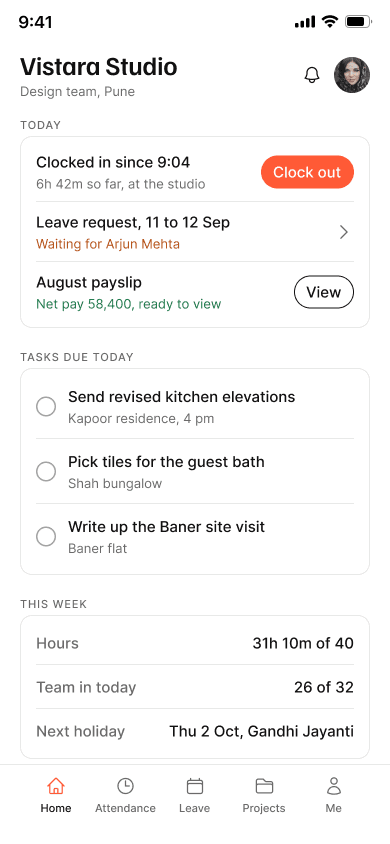
Overview
Rollcall is an HR app for a 32-person interior design studio in Pune. It has two roles on one tab bar pattern. A staff member sees today, attendance, leave, projects and their own pay. HR sees the team, every request, payroll, and can add or edit a person. It is a concept for a fictional client, Vistara Studio, designed in September 2026.
The problem
In a studio this size the attendance record usually lives in four places. One leave request is on WhatsApp, another was approved out loud, attendance is in a register, and HR keeps a spreadsheet. Payroll depends on all four agreeing.
When they do not agree, a day goes uncounted and the salary is short. Manual timesheets run at 1 to 8% error, with the smallest employers at the high end, and an error shows up in about one pay cycle in three. That figure comes from a vendor benchmark and is treated as an order of magnitude, not a fact about this studio.

Who it is for
Two roles, drawn from the seven flows. No interviews were run for this concept, so there are no personas with ages and quotes. What follows is what each role needs the app to do, and what it must not do.
- Clock in and out without thinking about it
- See today's tasks and which project they belong to
- Ask for leave and know what happens to the request
- Fix a missed punch without being treated as a cheat
- Read the payslip on the phone
- Must not show other people's pay
- Must not need a signal to clock in
- See who is in, late, on leave, or missing today
- Approve fixes and leave with enough context to decide
- Run payroll once the open fixes are closed
- Add a person and set shifts and holidays
- Must not decide leave without seeing who else is off
- Must not close payroll with a fix still open
Direction
Three structural directions were built first as grey boxes with real labels, so the section order could be judged before any colour existed. Clock-in first won. Three colour treatments were then tried on the winner, and all three lost to the same fault: the accent doing more than one job.
The six are kept on a Direction page in the file with the reason each one lost.
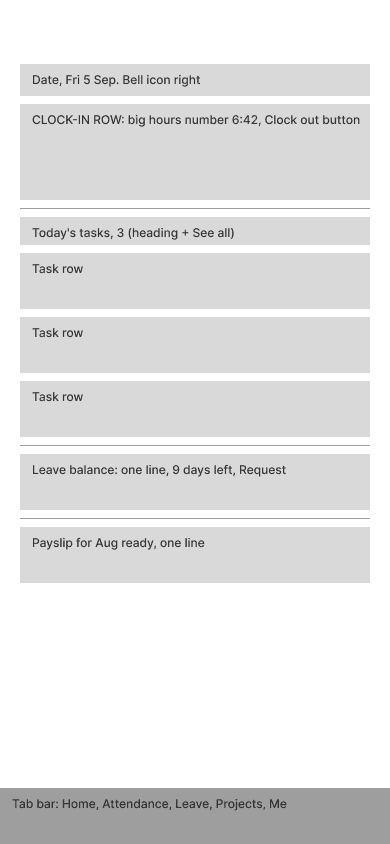
The day starts at the punch. Kept.
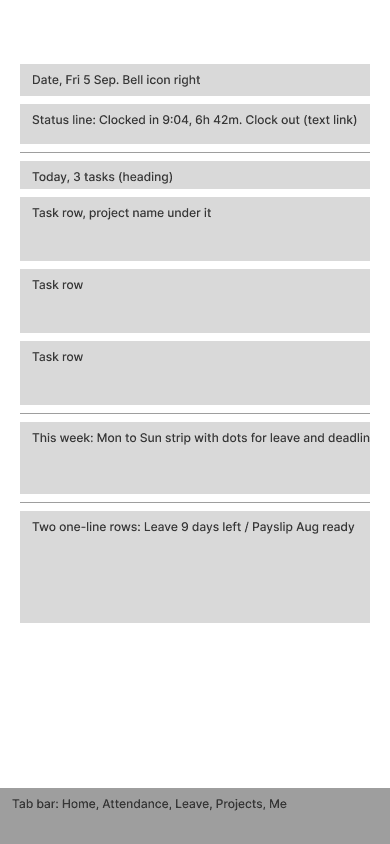
Attendance became a status line. The punch, which happens twice a day, was buried under tasks that change once a week.
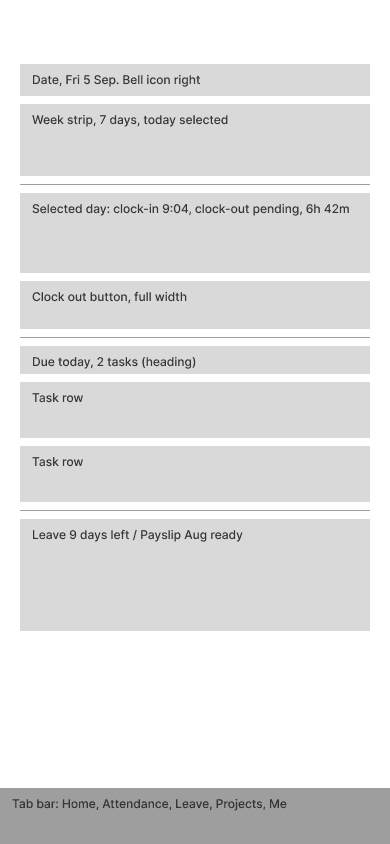
The week strip led. Good for HR, wrong for a person who only needs today.
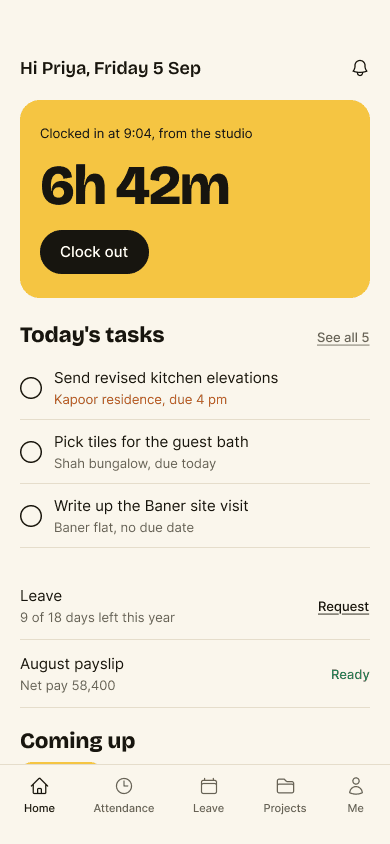
One mustard panel carried the day. The number read as a poster, not a fact.
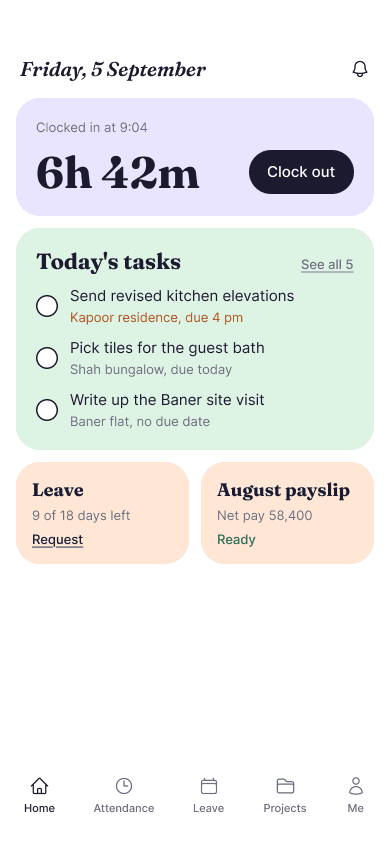
Each section its own tint, Fraunces for the voice. Status could no longer be read by colour because every card already had one.
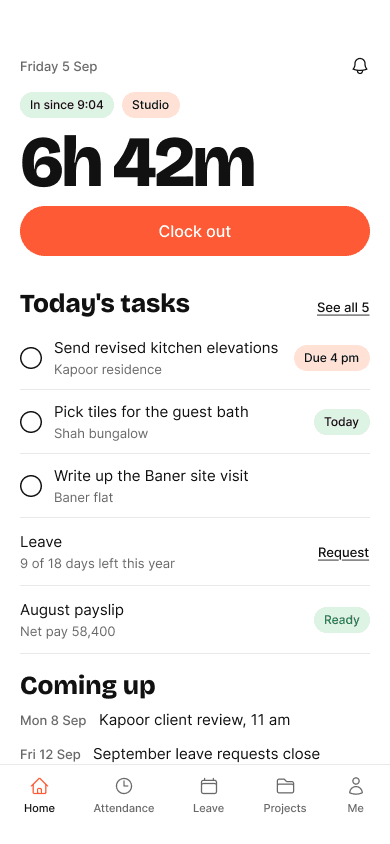
No tints, one coral, sticker chips. Closest to the winner, but the chips competed with the button for the only accent.
Decisions
I focused on making everyday tasks easy to find and attendance problems easier to resolve. These four decisions explain how the screens support clocking in, correcting missed hours, reviewing leave and working without a connection.
Clock in and out from Home
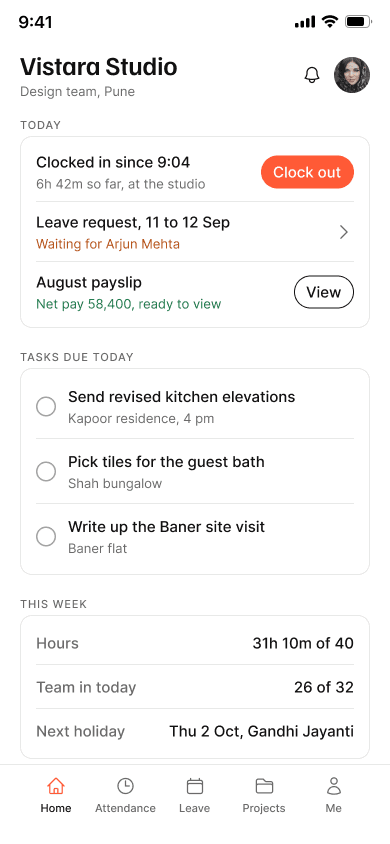
The first thing a staff member does each morning is clock in, and the first question at six is how long the day was. Home puts both on one line at the top, with the leave request and the payslip below it as status lines. Tasks due today come next, then the week.
Request a correction for a missed clock-out
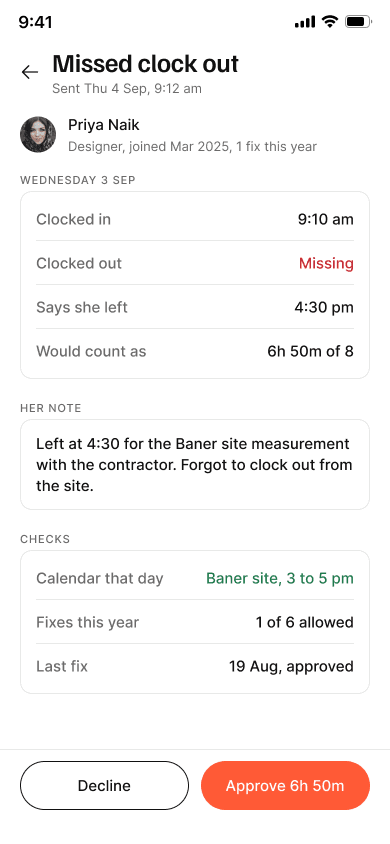
A missed punch is a day with a clock in and no clock out. The day detail says the day is not counted yet, shows the last fix and who reviews it, and lets the person send the real time with a note. HR sees the note, the calendar for that day, and how many fixes this year, then approves the hours or declines with a reason.
Leave shows who else is off before HR decides
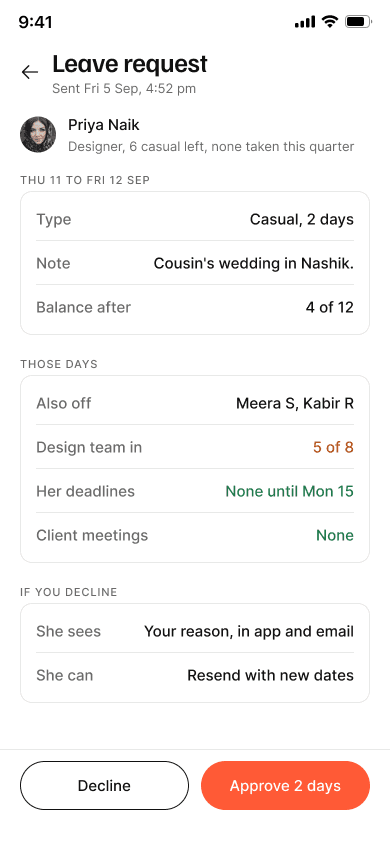
The approval screen lists who is also off those days, how many of the design team are in, the person's deadlines, and any client meetings. The notice rule, two working days for casual leave, is explained on the form itself with the next date that works, so the request is fixed before it is sent.
Offline still clocks in
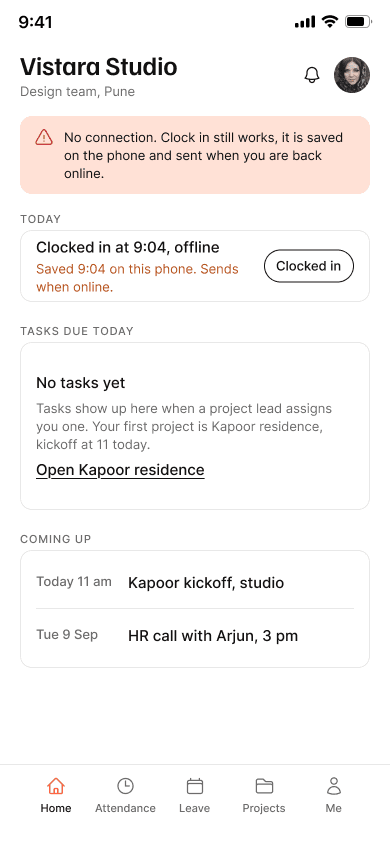
A studio in Pune loses signal on site visits. The clock in is saved on the phone and sent when the connection returns. The banner says so in one line, and the status line says 9:04, offline.
Visual system
Cards on a grey page, 12 radius, a 1px rule. One accent, coral, on the primary button and the active tab and nowhere else. Status is text and a dot, never a coloured background, so a card can carry a status without turning red. Familjen Grotesk for the numbers and headings, Inter for everything else.
Spacing on a 4px grid. Related gap 8, unrelated 24. Radius 12 on cards, full on controls, none on rules.
Key screens
Eight of the 29. The rest cover sign in and its failures, projects and tasks, payslips, notifications, and the HR pages for people, shifts and holidays.
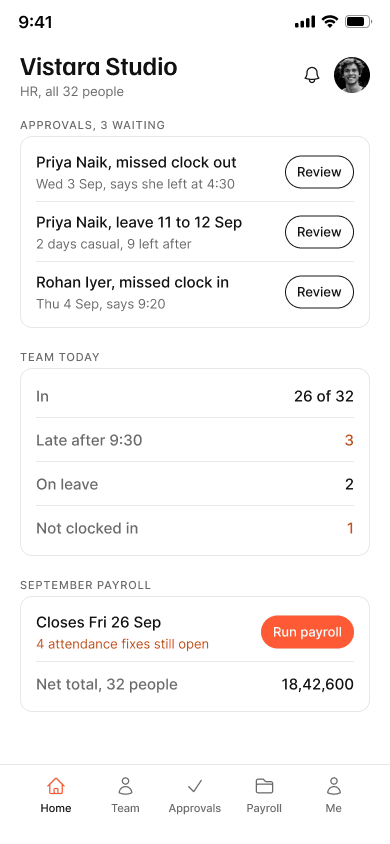
Arjun sees three approvals waiting, who is in today, and the September payroll run with four attendance fixes still open. The same tab bar pattern as staff, different tabs.
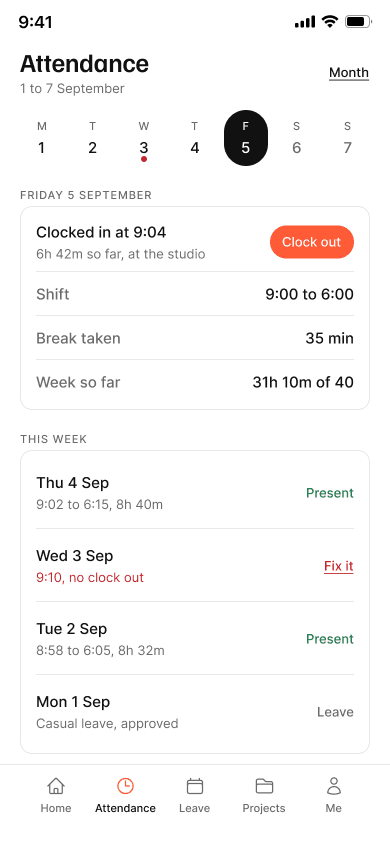
The week strip, today's punch, break and hours, then the week below. Wednesday carries a dot and a Fix it link because the clock out is missing.
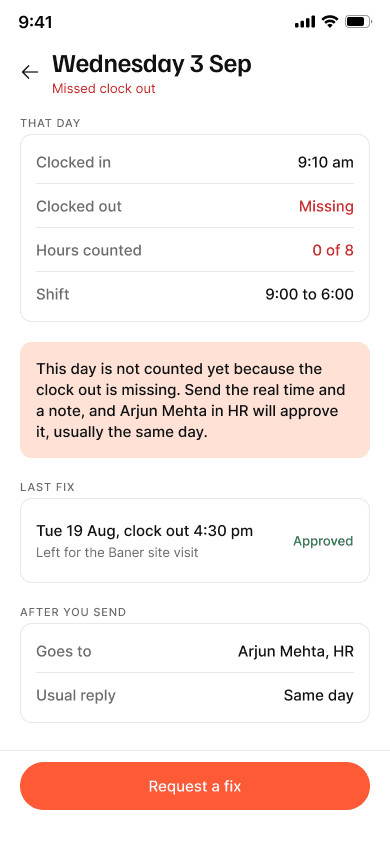
Hours counted, 0 of 8, until the fix is approved. The last fix and the reviewer are shown before the person asks.
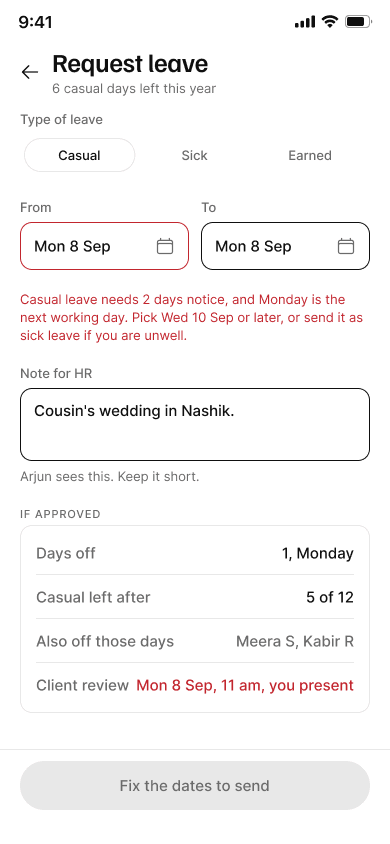
Monday is too soon for casual leave. The form says why, offers Wednesday, and offers sick leave if the person is unwell. The button reads Fix the dates to send until they do.
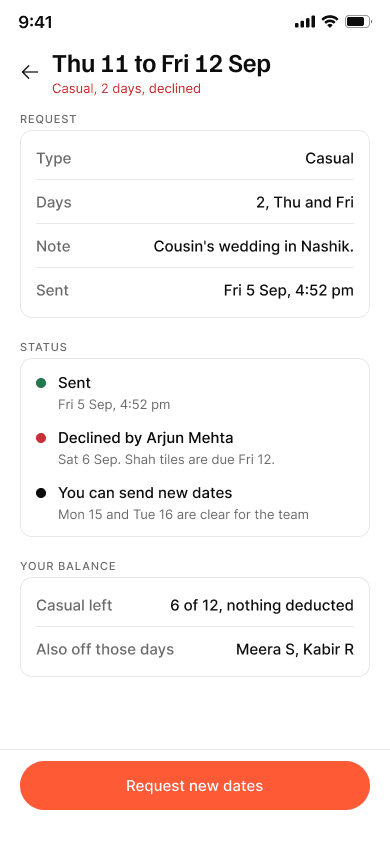
The reason from Arjun, the dates that are clear for the team, and a button to request them. The balance is untouched.
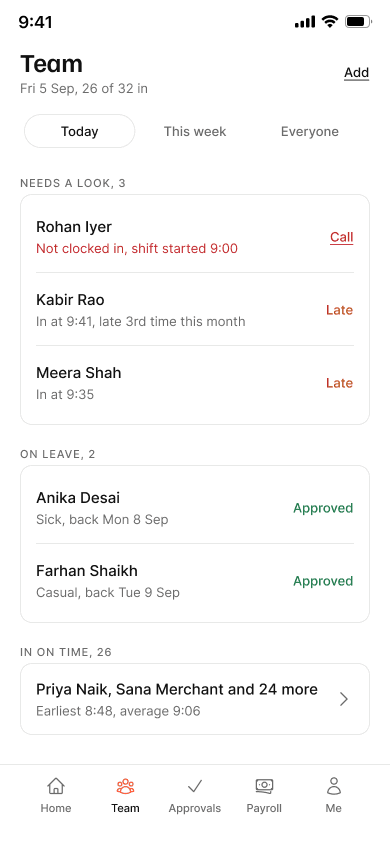
26 of 32 in, who is late, who is on leave, who has not clocked in. Every row is a name.
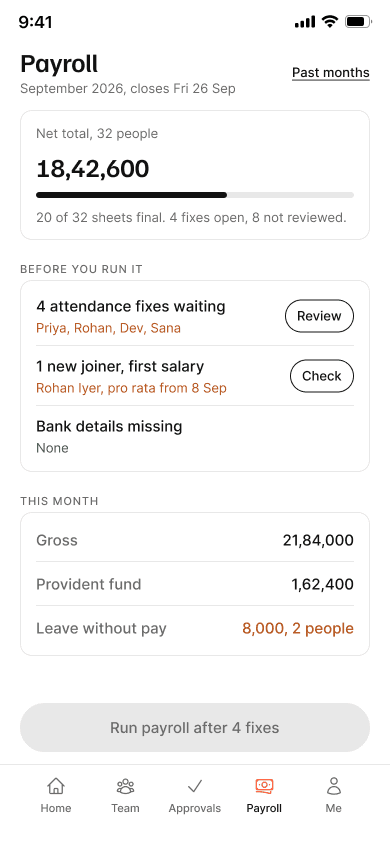
The run closes on a date, the open fixes are listed above the button, and the net total is one number for 32 people.
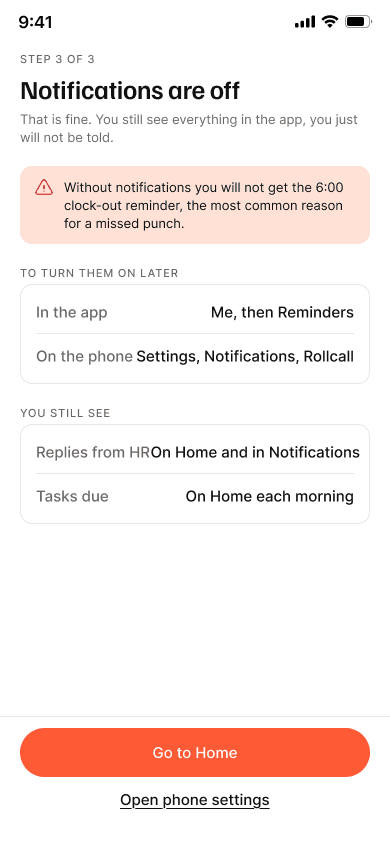
The one thing the person will miss is the six o'clock clock-out reminder, which is the most common cause of a missed punch. Both ways to turn it on later are listed.
Prototype
Explore how staff record attendance and request leave, and how HR reviews requests and manages payroll.
Final thoughts
Rollcall is a concept. There are no users and no launch. What exists is 29 screens in 7 flows, 20 component sets with states, 19 colour variables and 8 text styles, and six rejected home screens kept with the reason each one lost.
Building three structural options as grey boxes before any colour made the choice cheap. The playful comps that followed all lost to the same fault, which was only visible once the structure was fixed. The missed punch, the notice rule and the offline clock in did more work than the happy path. Those three screens are where the product's idea of a fair record is visible.
Put the missed-punch flow in front of an HR person at a studio of this size and ask whether the fix limit, six a year, is fair. Test the notice rule copy with someone who has never read a leave policy. Then the Android version, and a web view for payroll, which is the one task nobody wants to do on a phone.
An iOS app for recording irregular cycles and symptoms, and preparing for medical appointments.