
CycleSync

CycleSync helps people with irregular or absent periods record their symptoms, review past entries and prepare for a doctor visit.

An iOS app, designed over six weeks.

View prototype
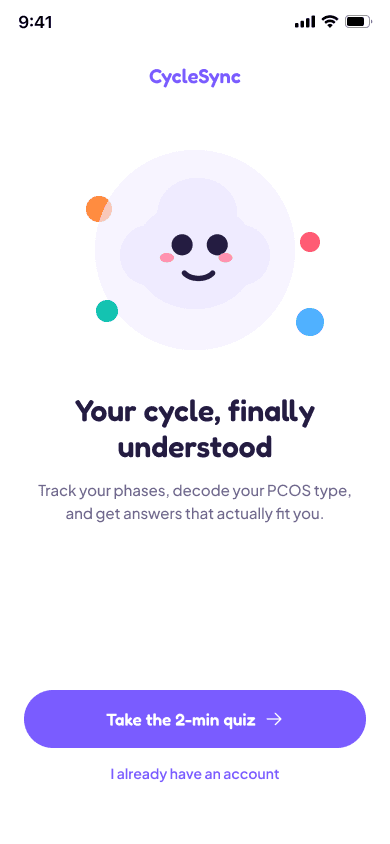
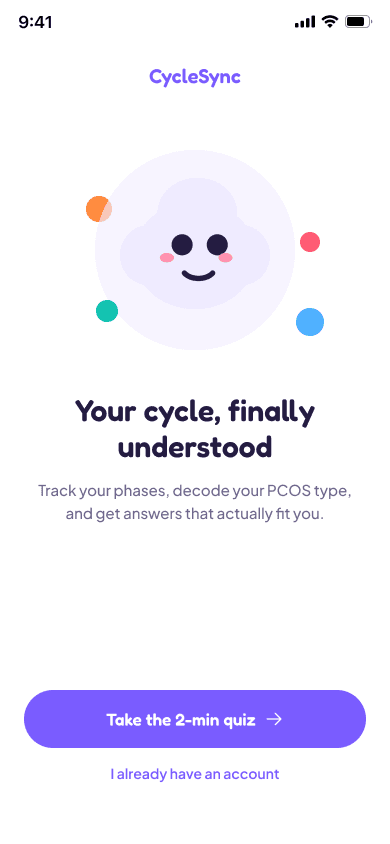
CycleSync onboarding screen
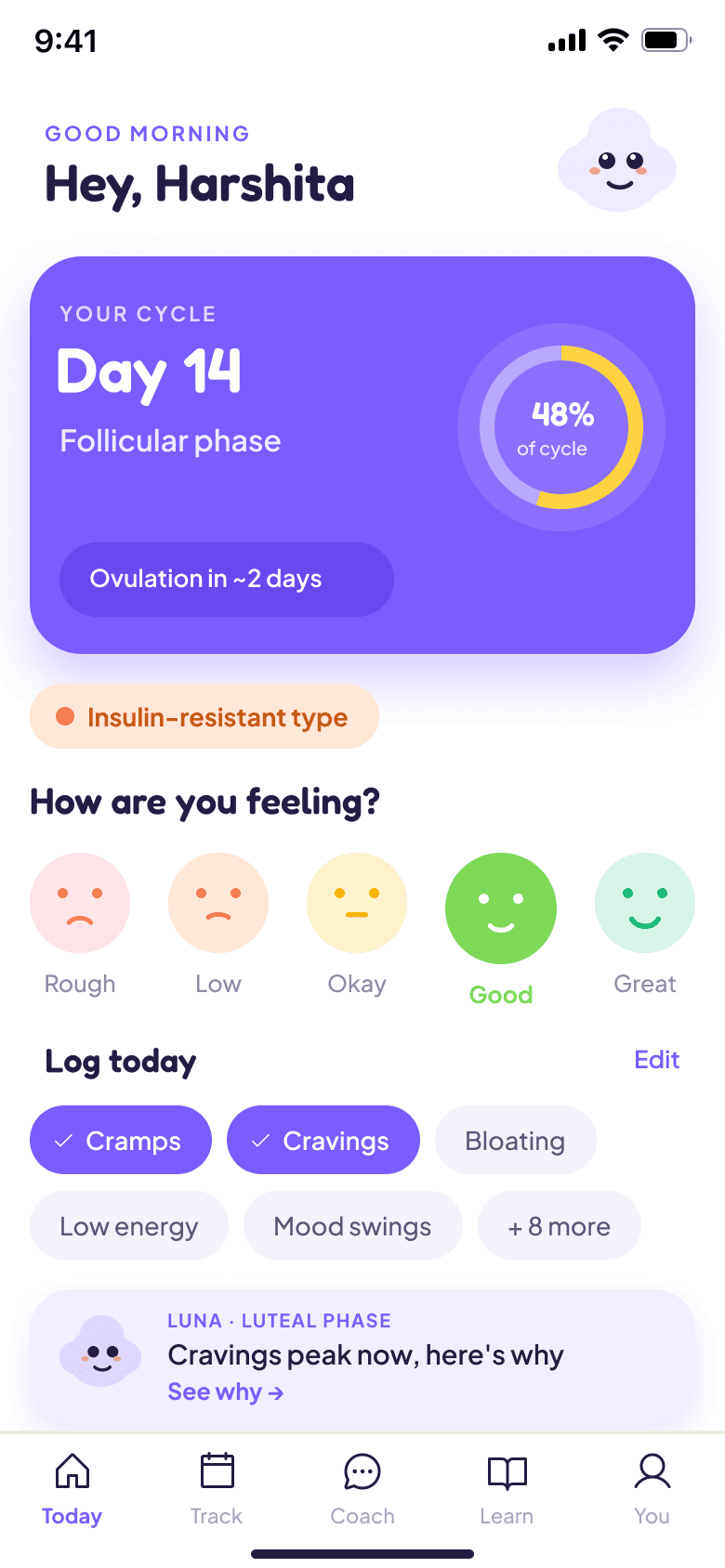
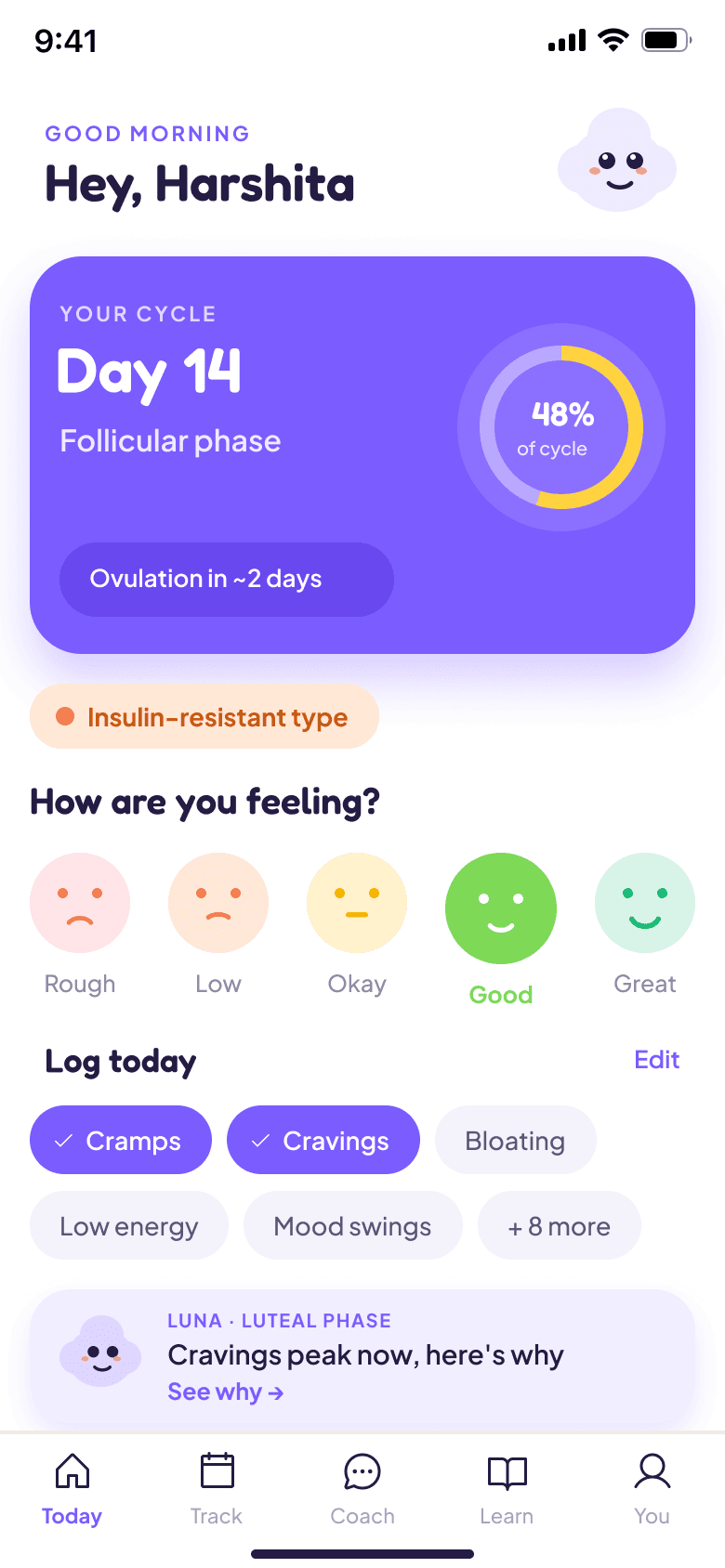
CycleSync home screen
RoleUI/UX Designer
Timeline6 Weeks
IndustryHealth-Tech
01

Overview

CycleSync gives people with irregular or absent periods a place to record how they feel. They can look back at their entries over several months and prepare a summary to discuss with their doctor. It helps them keep a personal health record; it does not diagnose a condition.

Notes are on the phone. Reports are on paper. Before a visit, they have to be brought together.

02

The problem

When someone has not had a period for months, they may have no recent date to add to a period calendar. They can still experience symptoms and need a way to record them.

Their information may also be spread out: symptom notes on a phone and medical reports on paper. Before an appointment, they have to gather it all and remember what has changed. Important details can be forgotten between visits.

JANFEBMAR
01

Look beyond one month

Show entries across several months. Make it clear that a blank day does not necessarily mean there were no symptoms.

Daily logLow energyCrampsPeriod date optionalSave entrySaved
02

Log without a period date

Let people record symptoms even when they have no period date to enter.

Visit summaryCycle historyJANFEBMARSymptomsLow energyCrampsReady for the visit
03

Prepare for a doctor visit

Gather cycle dates and symptom notes in one place, ready to discuss at the appointment.

03

Research

I wanted to understand what people with irregular or absent periods needed from a tracking app. The research took place in two stages: a review of published information before the first design, followed by a survey to guide improvements.

  • Before creating the first design, I reviewed published research, clinical guidance and existing apps.
  • After completing the first design, I conducted a survey to understand what needed to improve. I received ten usable responses from people with polycystic ovary syndrome (PCOS). I asked how they recorded symptoms, looked for health information and prepared for doctor visits. Their responses helped me identify what to change in the next version.
Method
  • Published research
  • Clinical guidance
  • Survey responses
Sources
  • WHO and Human Reproduction
  • JMIR and MARS review
  • FTC case record
Competitive
  • Flo and Clue, tracking
  • AskPCOS, information
  • Allara and Pollie, telehealth
1 in 10people worldwide have PCOS. Up to 70% are undiagnosed (WHO, 2023)
98.2%looked up symptoms before seeing a doctor (JMIR, 2025)
41%saw three or more doctors before receiving a diagnosis
58.8%received no emotional support at diagnosis
38.6%reported anxiety, about three times the general rate
3.29 / 5average engagement score for PCOS apps in one clinical review (MARS, 2025)
35 to 90+ daysa common range for PCOS cycles, compared with the 28 days many trackers assume
7 of 10responses mentioned keeping notes on a phone for appointments

Clinical background: WHO PCOS fact sheet.

Competitive Analysis

I compared existing tools to understand what support was already available and where CycleSync could help. The review covered tracking apps such as Flo and Clue, PCOS information from AskPCOS, clinical care through Allara and general AI chat tools. I looked at how each supported symptom tracking, access to information and preparation for a doctor visit.

ToolGood atFalls short
Flo and Clue+Cycle and symptom tracking
–Reports focus on selected symptoms
–Details outside recent cycles need separate review
AskPCOS / AskPMOS+PCOS information, symptom tracking and question prompts
–The documentation reviewed did not confirm whether users could export a personal report
Allara+Clinicians and dietitians
–Care depends on location and eligibility
–Coverage or self-pay affects access
Generic AI chat+Quick conversational answers
–A conversation is not a structured symptom history
–Health answers still need reliable sources and medical review
04

Affinity map

After reviewing the survey, I created an affinity map to identify concerns that came up across different responses. I grouped related answers into five topics: tracking periods, understanding a diagnosis, gathering records, finding advice and paying for care. The notes below summarise what people said; they are not direct quotes.

Cycle tracking
Cycles are irregular or absent
Several months can pass without a period
Cycle tracking is not useful for everyone
Diagnosis
Unclear what the diagnosis means
The appointment did not answer every question
Questions taken to online searches
Appointment record
Notes stored on the phone
Lab reports kept on paper
Records are difficult to bring together
Advice
Supplement advice that did not help
Changes made without a clear result
A need for academic sources
Cost
No paid tracking apps reported in this sample
Appointments
Lab tests
05

Personas

I created six personas to keep different user needs in mind while making design decisions. Some people want to understand their cycle history; others need to record symptoms when their periods are absent. I developed Maya and Aisha from desk research, and the other four personas reflect themes from the later survey.

Maya, illustrative fictional persona portraitMaya
Design need

The app should fit my cycles, not force them into a standard month.

About

Maya’s period predictions can be wrong by weeks. She wants to see what has happened over several months, not just when the next period might arrive.

Goals
  • See her pattern over several months
  • Record symptoms without judgement
Pain points
  • Predictions that are wrong by weeks
  • Advice that does not match her symptoms
01 / 06
06

User flow

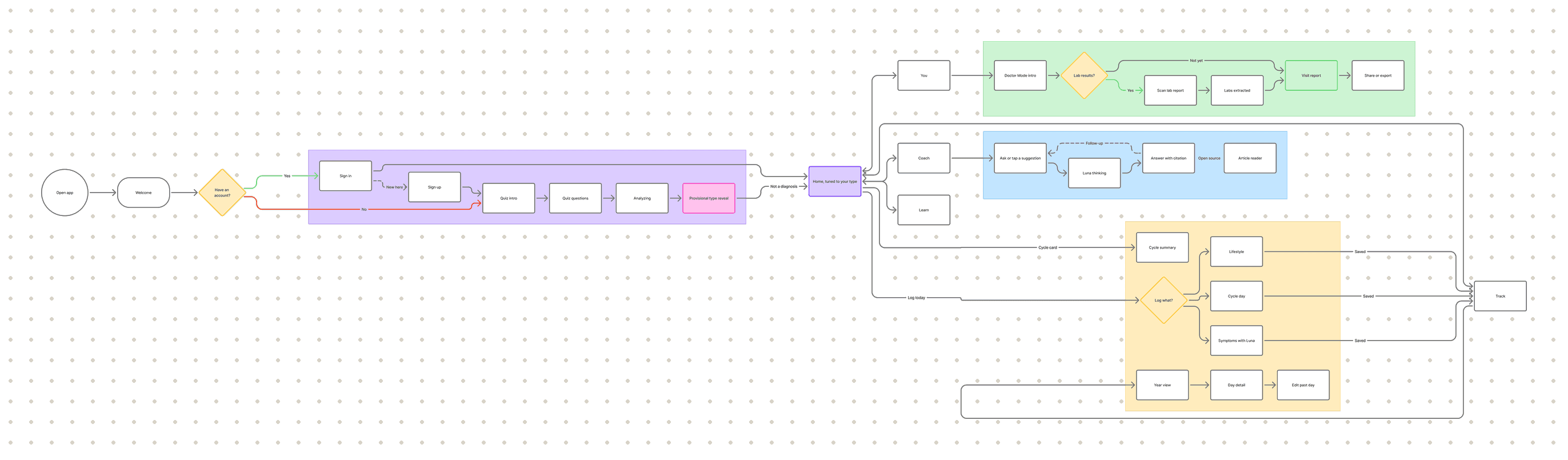
The user flow maps how people move through CycleSync, from setting up an account to preparing for a doctor visit. After setup, Home gives them access to symptom logging, past entries, questions for Luna and their visit summary. Recording symptoms does not require a period date, so people can keep track even when their periods are absent.

07

Visual design

CycleSync uses light backgrounds, dark text and colour to organise the information on each screen. Violet is the main app colour and is used for actions such as “Log today.” Softer colours distinguish entries such as cramps and low energy, with text labels explaining what each one means. The typography separates headings, daily entries and supporting notes. These styles are repeated across the app so the same action or type of information is easy to recognise on another screen.

Palette

Violet
Coral
Teal
Pink
Butter
Paper
Ink
Components
Log todayNot todayCrampsLow energyDay 47
Meet Luna

Luna appears beside explanations and in the question screen. The same character is used throughout the app.

Type

Display, Inter
Your year, at a glance.
Heading
Likely 9 to 15 September
Body
Wide window: your last three cycles varied.
Label, mono
Intl PCOS Guideline, 2023
08

Key screens

CycleSync brings daily symptom tracking and preparation for doctor visits into the same app. Users can record how they feel today, look back at changes over several months and bring that history to an appointment. The screens below explain how each part works, from the initial setup to a visit summary they can share with their doctor.

Home screen
01
Home

The Home screen shows mood, recent symptoms and cycle information in one place. Users can add an entry without opening the calendar. Predicted period dates are presented as estimates.

Welcome screen
Quiz introduction screen
01 / 02
02
Onboarding

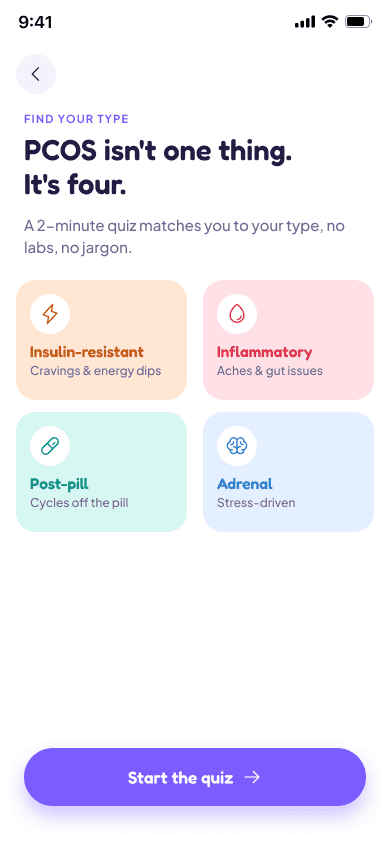
The setup asks a few questions about cycles and symptoms. Someone who does not have a diagnosis can skip those questions and continue.

Year view screen
03
Year view

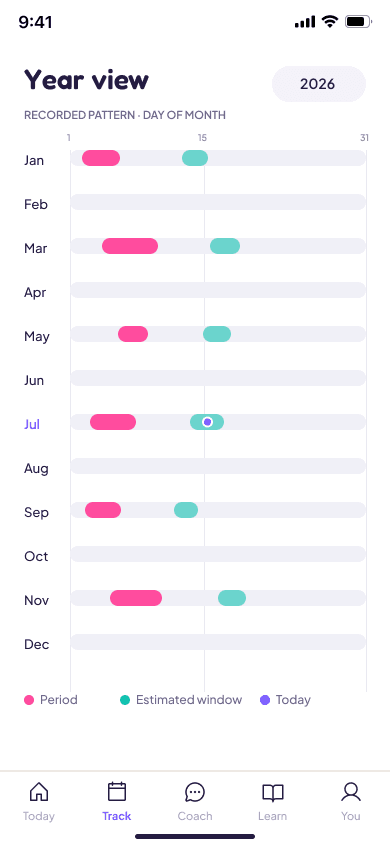
When periods are far apart, a single month shows only part of the history. This screen brings twelve months together so users can look back without switching calendar pages.

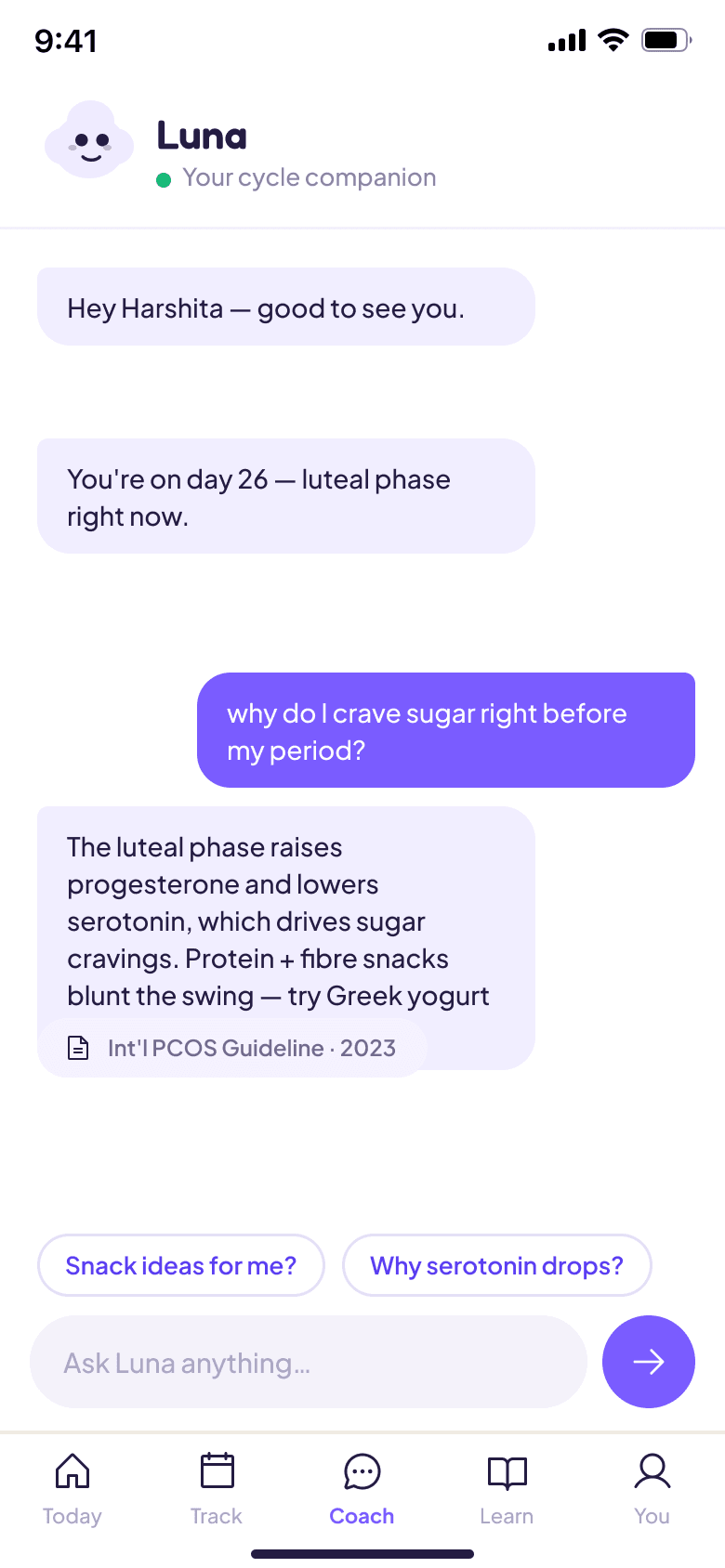
Luna screen
04
Luna

Users can ask Luna questions about their symptoms. The answer includes a source so they can see where the information comes from. The aim is to explain the information and its limits.

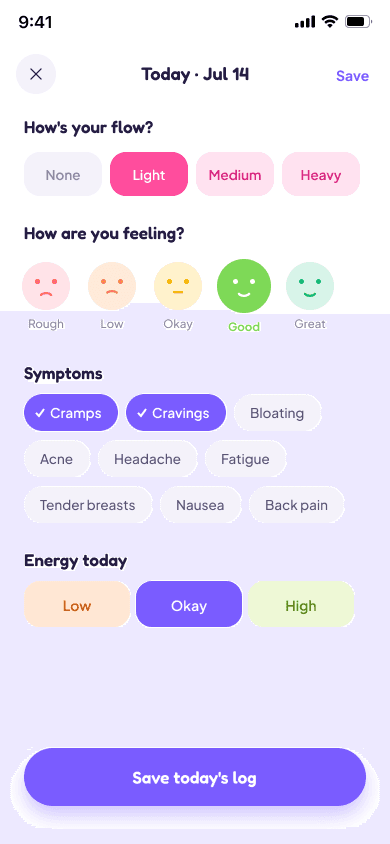
Daily log screen
05
Daily log

Users choose their symptoms, mood and energy for the day, then save the entry. They can select ‘None’ for flow when there is no bleeding, so recording how they feel does not depend on being on their period.

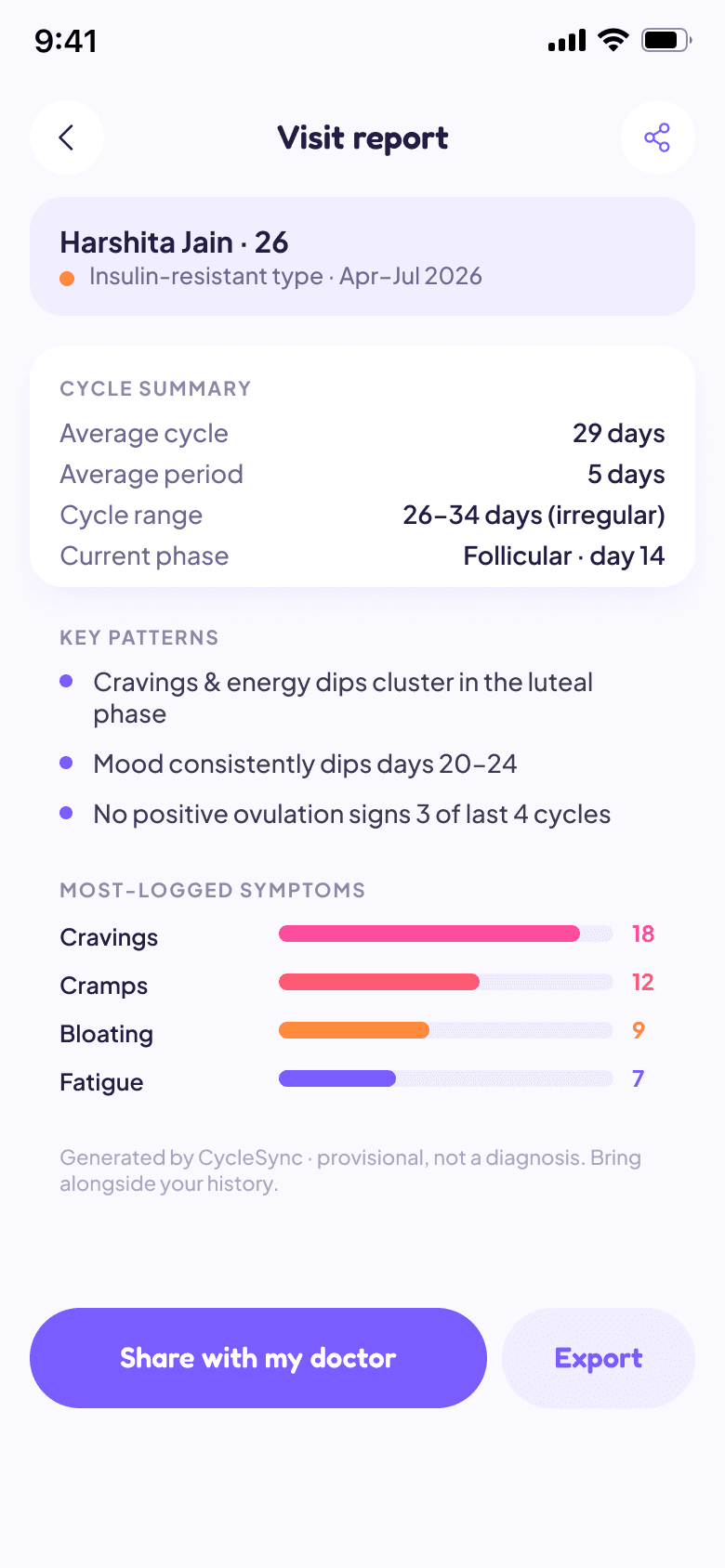
Visit summary screen
06
Visit summary

Before an appointment, users can bring their cycle history and logged symptoms together in one report. They can share it with their doctor and use it to explain what has happened since their last visit, rather than relying on memory.

Prototype

Try the screens and move through the main tasks.

09

Conclusion

The first design focused on cycle tracking. The survey later showed that a period calendar was not useful for everyone, especially when periods were absent. Some respondents needed a simpler way to record symptoms and bring those records to a doctor visit.

What needs to change

The next version should make symptom logging easier to find, including for someone who has no period date to enter. The visit summary also needs to contain the details people want to discuss with their doctor.

What still needs testing

Further testing should look at how people record a day, understand their past entries and prepare a visit summary. A review of the health information and Luna’s answers should also check that the explanations are clear and their limits are easy to understand.

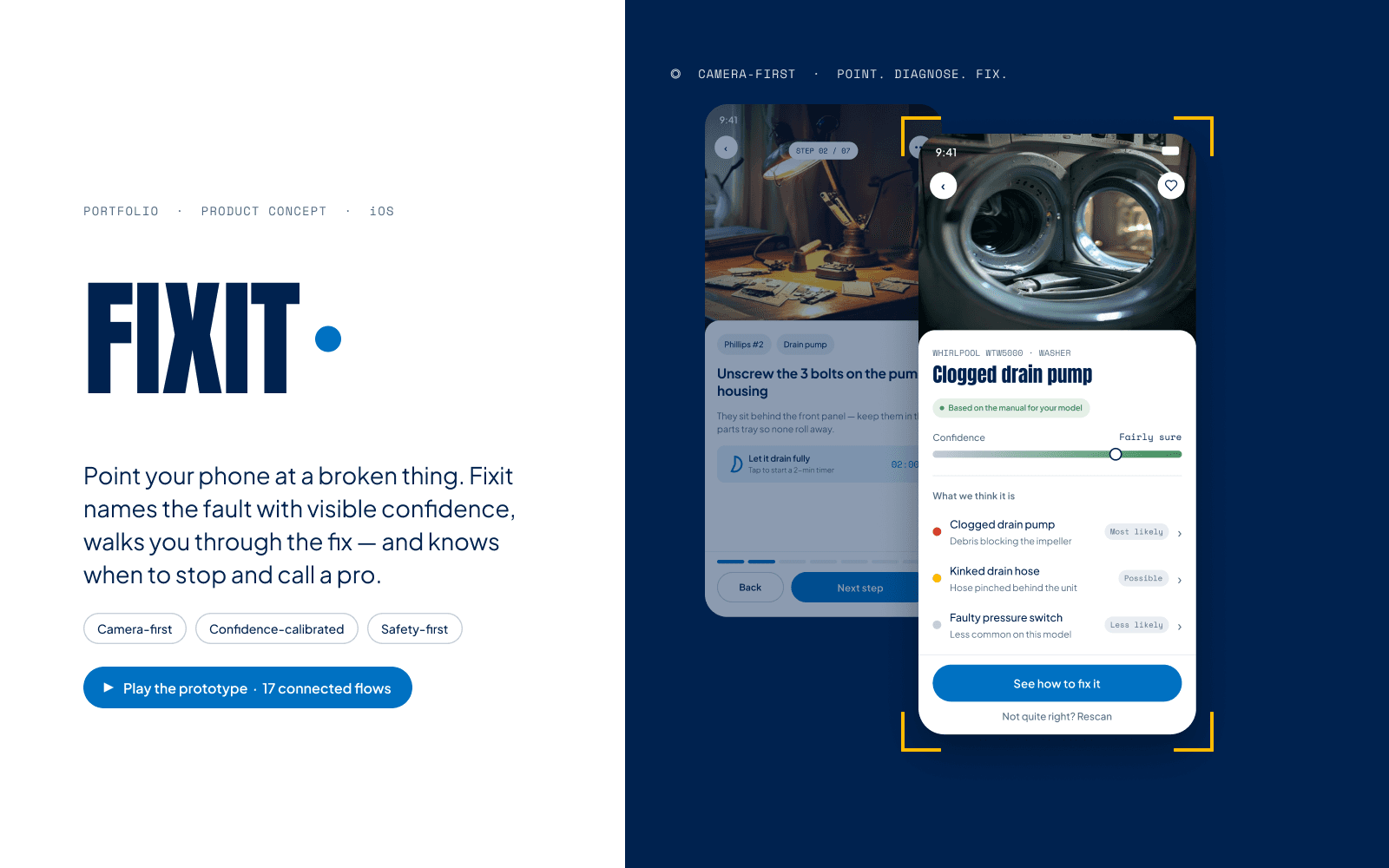
Next project
Fixit

A camera-first repair application that helps users repair everyday objects, and defers to a professional when a task is unsafe.

App design, 2026