FIXIT.
Point your camera at something broken. Fixit says what is likely wrong, how sure it is, and how to fix it. When a job is dangerous it stops and helps you find a professional.
View prototype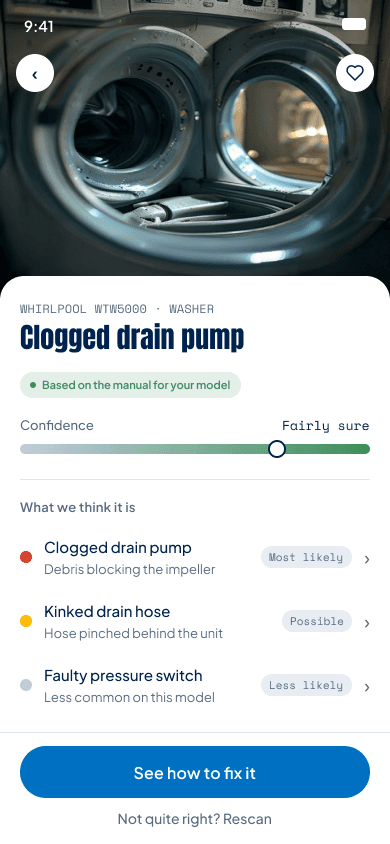
Overview
Fixit is a camera-first repair app. You photograph the broken item, it says what is likely wrong and how sure it is, walks you through the repair one step at a time, and stops when a job is unsafe.
The problem
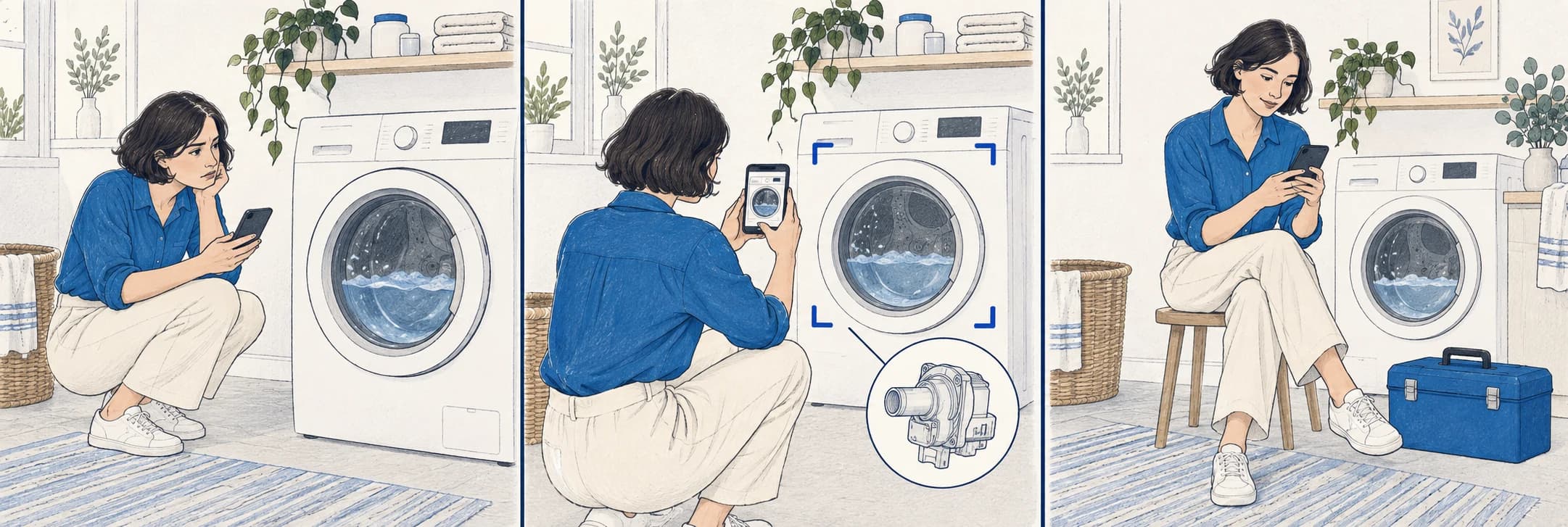
People give up on things they could repair because the first step feels risky.
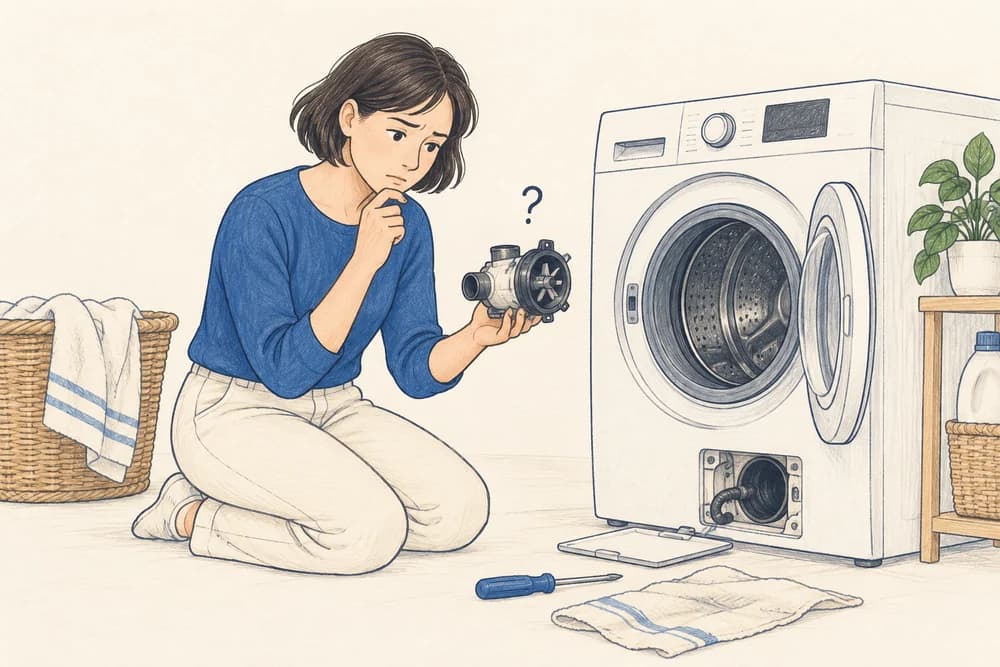
“I don't even know what the part is called.”
They can't name the fault
Without the word, they can't even search for help.
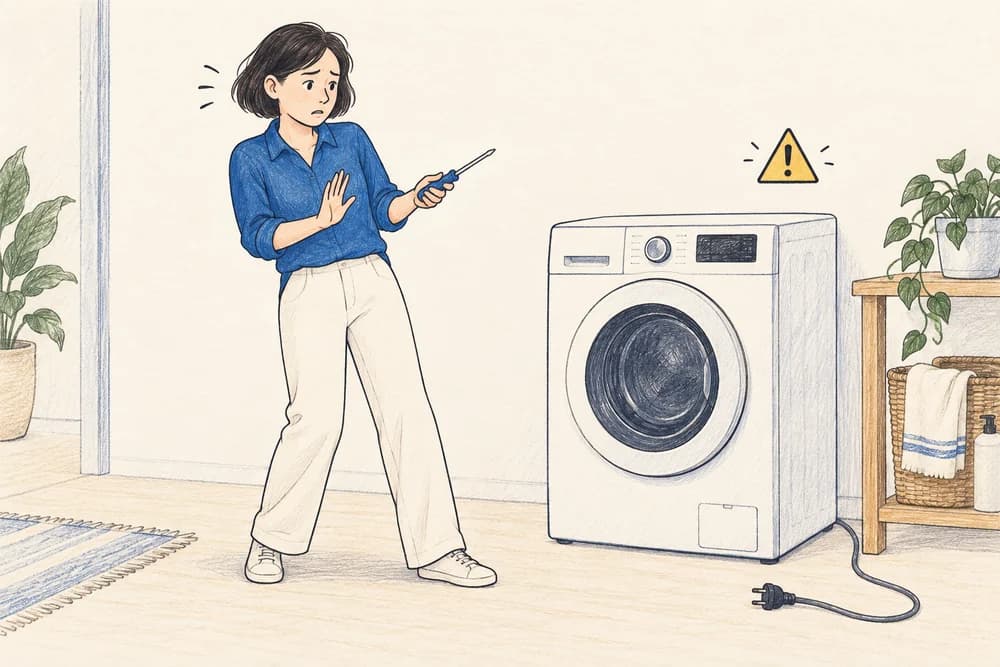
“Fixing it felt like a gamble I'd probably lose.”
They're afraid
Of breaking it more, voiding the warranty, or getting a shock.
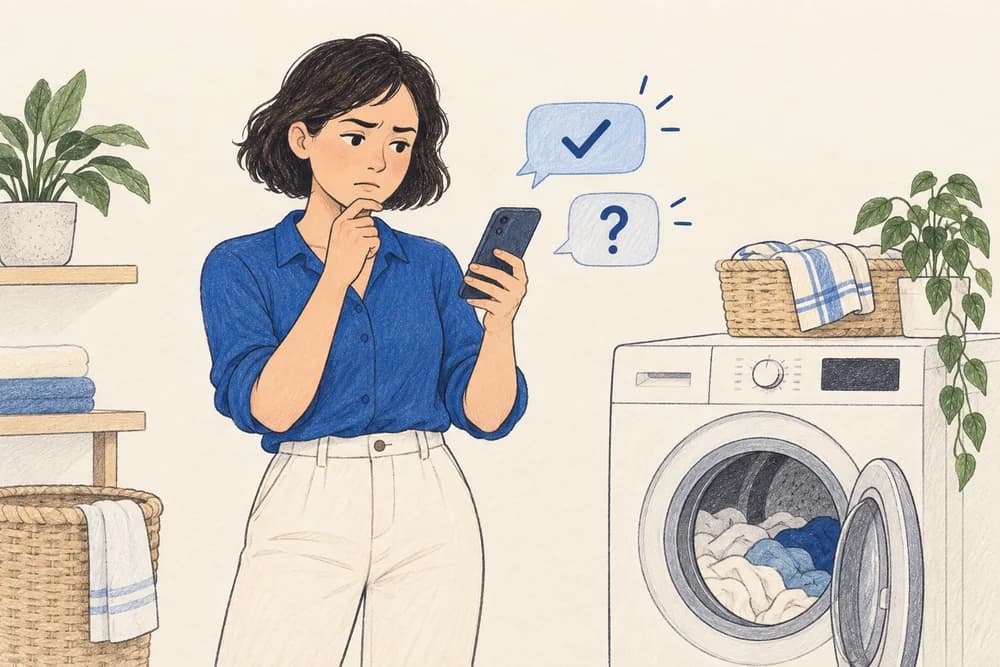
“AI sounded sure, but was it right?”
They can't trust what they find
A chatbot sounds sure, but offers no way to check.
Research
Learn how people find and attempt repairs today, find the exact moments where they give up, and test whether a camera-first approach removes the first barrier.
Every existing tool assumes you already know the fault.
| TOOL | GOOD AT | FALLS SHORT |
|---|---|---|
| YouTube | +Huge free library | –You must know the exact term to find the right video –No safety checks, nothing specific to your unit |
| iFixit | +Excellent guides and community | –Starts at the guide, so you still have to identify the fault yourself –Skews to electronics |
| General AI chat | +Fast and conversational | –Cannot see your item, and is often wrong while sounding sure –No safety limits, no sense of how sure it is |
| Maker support | +Accurate for your exact model | –Buried and slow –Pushes you toward paid service |
Affinity map
Most people in the interviews could have done the repair. They stopped because they did not know what was wrong, or whether it was safe to try.
Personas
Three personas carry the needs from the interviews. Each one maps to a decision the app had to make.
“I want to know it's safe to try before I take anything apart.”
- Age
- 29
- Occupation
- Marketing coordinator
- Status
- Renting, lives alone
- Location
- Austin, TX
Rents a one-bedroom flat and is careful with her deposit. Her dishwasher stopped draining a month ago. She watched one video, did not recognise a single part, and left it.
- Handle small household repairs without calling a pro every time
- Avoid anything that risks her deposit or her safety
- Doesn't know the name of the part, so she can't search for help
- Afraid of making it worse or flooding the kitchen
Features
The question for this stage: how might we help someone fix something when they do not know what is wrong, and cannot tell if it is safe?
Capture
Photograph the broken thing. No need to name it.
Confidence-ranked diagnosis
The likely faults, ranked, each with how sure the app is.
Guided repair
One step at a time, with the specific part and tool named.
Safety stop
For unsafe jobs the app stops and passes your photo and findings to a professional.
Honest outcomes
Every repair ends as fixed, waiting on a part, or gave up. All three are recorded.
User flow
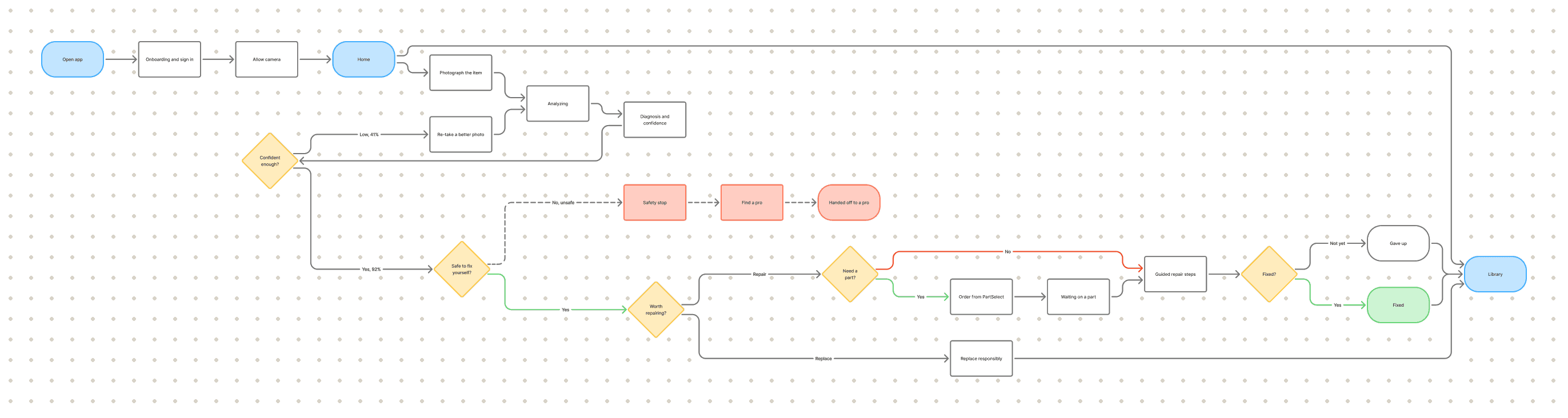
The core loop, including the point where the app refuses and hands you to a professional. Drawn in FigJam.
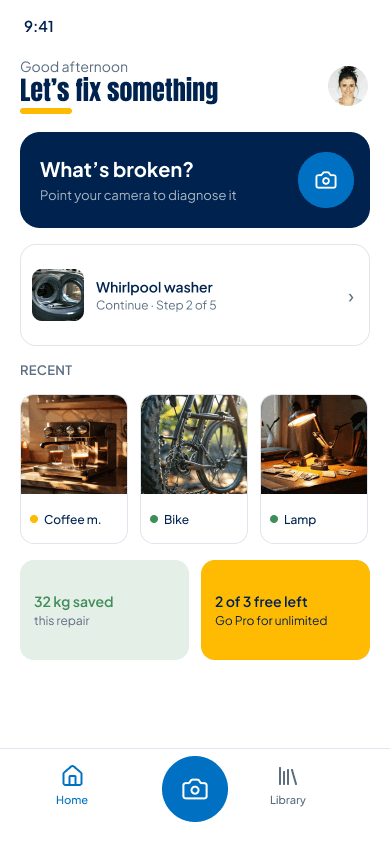
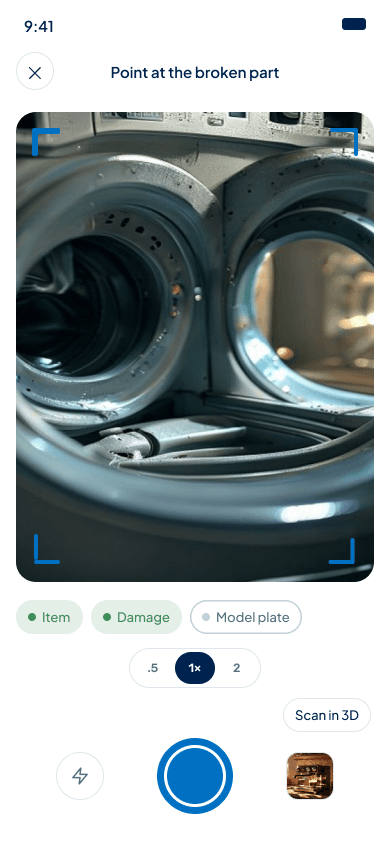
The first version went to testers as it was. It looked clean, and people did not trust it.

Testing
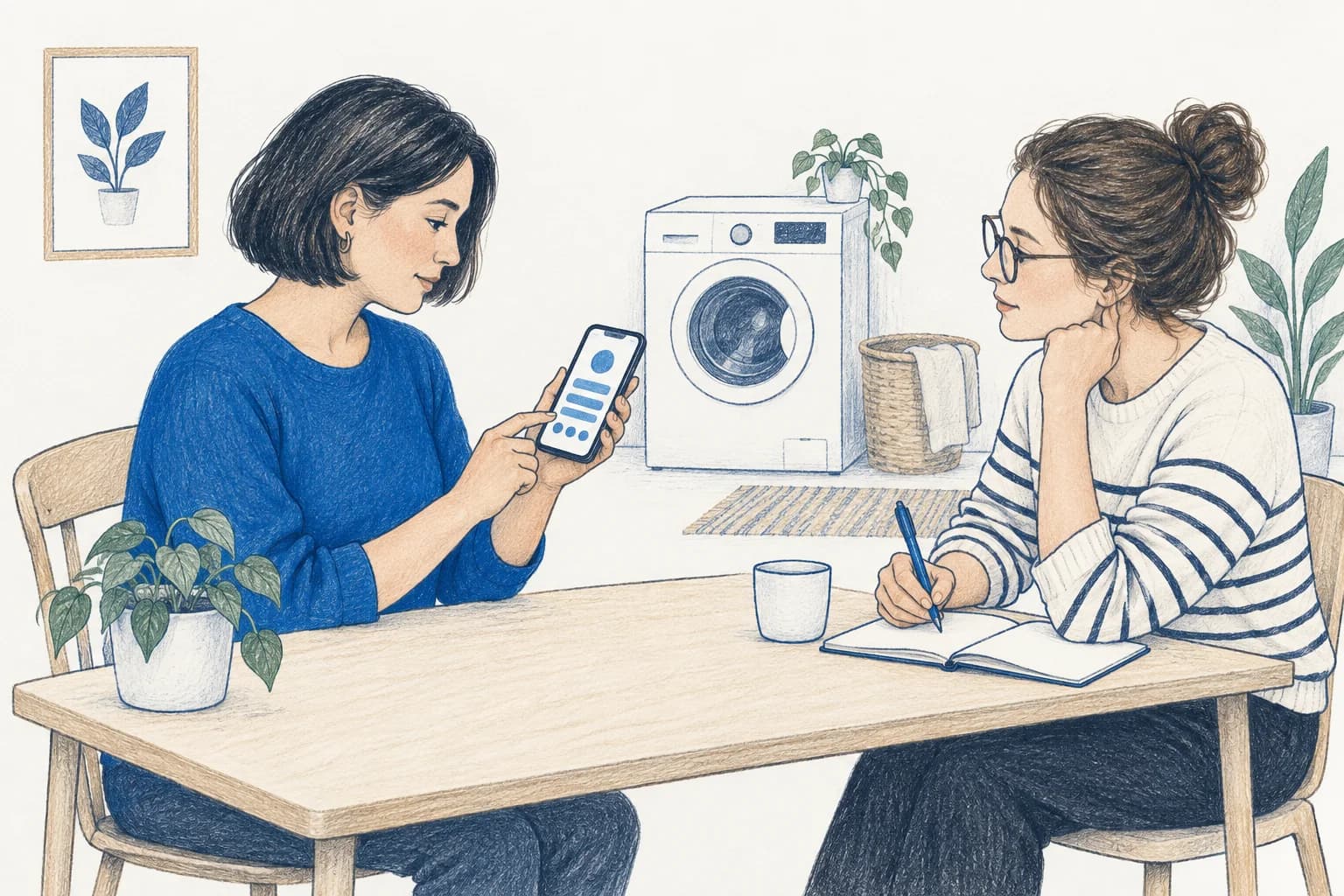
Five people tested the core flow: scan a broken item, read the diagnosis, decide whether to keep going. Ages 27 to 52, different DIY habits.
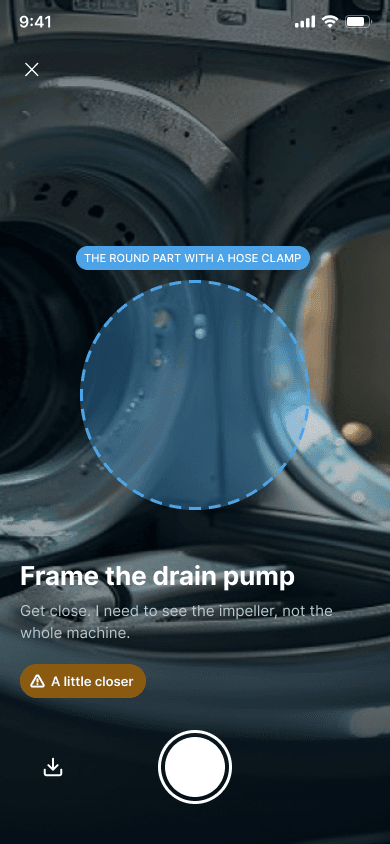
People wanted to see why, and how sure. I had expected a number like 41% to put them off. It did the opposite. When the app admitted it was unsure and asked for a better photo, confidence rose to 92% on the reframe, and they trusted it more.
5 of 5 wanted to see what the diagnosis was based on. A bare answer felt like a gamble.
Shown a made-up 98% confidence with no reason, people trusted it less.
Everyone asked some version of “what if it's wrong?”
Visual design
One navy, plenty of white, one blue for the action. No gradients, badges or streaks. The only other colours are the three outcome states.
Colour palette
Typeface
Key screens
The finished flow, screen by screen. The handoff also covers the low-confidence loop, the safety stop, and the error and empty states.
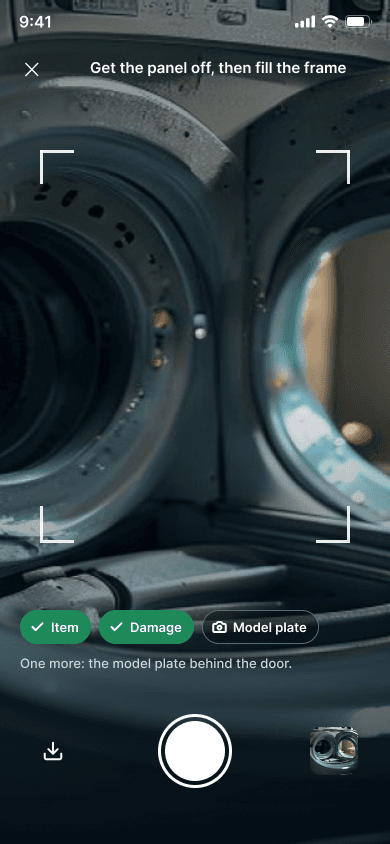
Capture
Point the camera at the broken part. No search box, nothing to name. A checklist shows what the app still needs: the item, the damage, the model plate.
The capture checklist helps people provide useful evidence without knowing the part’s name.
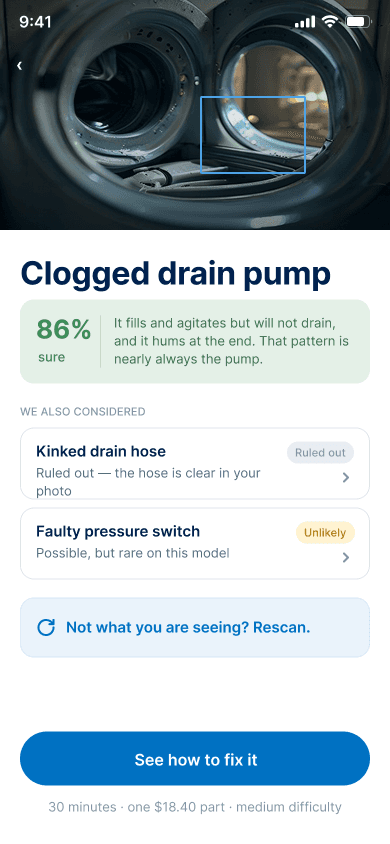
Diagnosis and confidence
The most likely fault, and how sure the app is. Below it, what else was considered and why it was ruled out.
Reasons and alternatives let people question the diagnosis before acting on it.
When it isn't sure
When the photo is not clear enough, the app says what it needs, “get close, I need to see the impeller”, and asks for a better shot. Confidence climbs once you reframe.
A specific request for another photo gives uncertainty a clear next step.
Guided repair
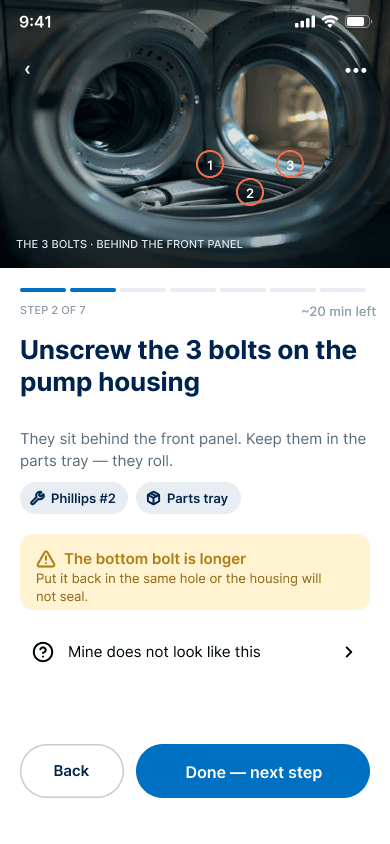
One step at a time. Each step names the tool, says where the parts go, and flags the traps, like a longer bottom bolt that has to go back in the same hole.
Tools and warnings sit beside the current step, reducing what people must remember.
Safety stop
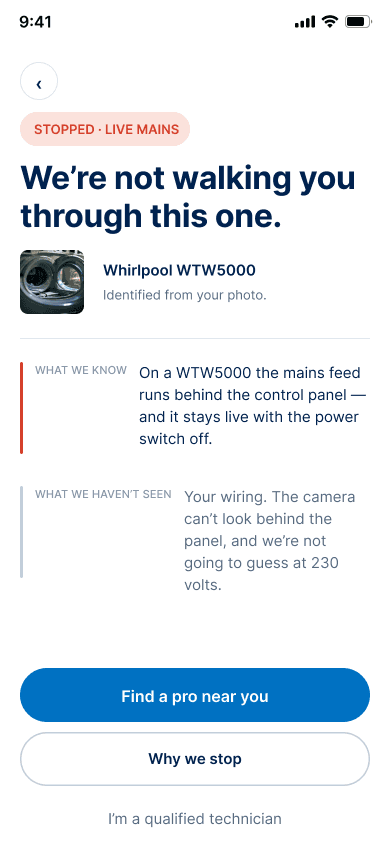
For live mains or gas, the app stops. It says why, lists what it could not see, and hands the photo and findings to a nearby professional.
A visible stop explains the risk instead of encouraging an unsafe repair.
Honest outcomes
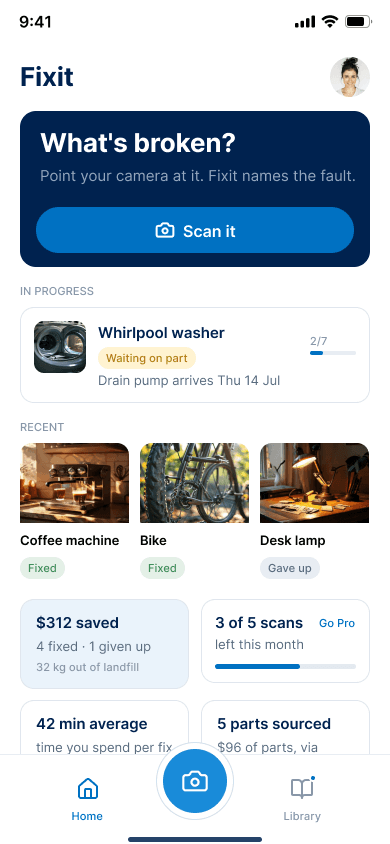
Home keeps every repair and every outcome. The desk lamp reads “gave up” next to the wins. The saving shown is dollars after the cost of parts.
Unfinished and abandoned repairs remain visible alongside successful ones.
Prototype
Explore how Fixit guides someone from photographing a broken item to reviewing the diagnosis, following repair steps or getting professional help.
Conclusion
The version that admits when it is unsure tested better than the confident one, every time.
Early on I filled empty space with features nobody asked for. Testing pushed the other way. The hardest lesson was checking my own numbers: one screen confused diagnosis confidence with repair odds, and it read fine until I looked twice.
Test with real broken items in bad lighting. Check the safety rules with an appliance repair professional. Then live part pricing, an offline mode, and describing a fault out loud.
A redesign of the Blue Ashva Capital website, with an accessibility audit against WCAG 2.1 Level AA.